
IPTV Guide
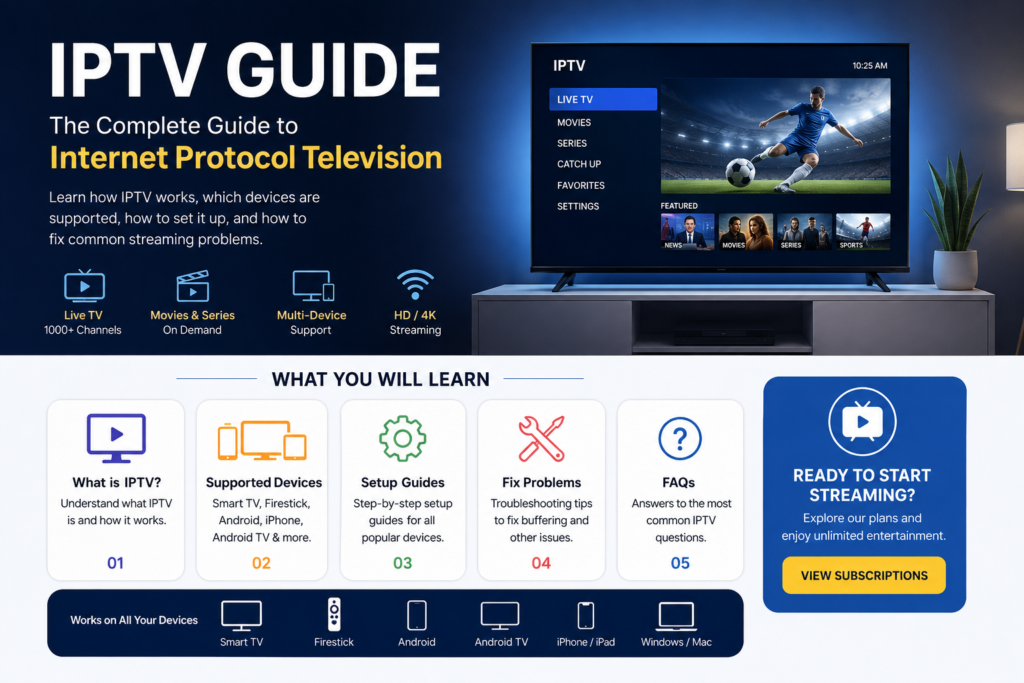
IPTV Guide 2026: How IPTV Works & How to Get Started
An IPTV guide can help you understand how internet television works, what equipment you need, how to set up IPTV on different devices, and how to solve common streaming problems.
IPTV has become a popular way to watch live television and on-demand content through an internet connection instead of relying entirely on traditional cable or satellite television.
Whether you are completely new to IPTV or already use an IPTV service, this guide explains the basics and provides links to detailed setup guides for different devices.
What Is IPTV?
IPTV stands for Internet Protocol Television. Instead of delivering television programming through traditional cable, satellite, or terrestrial broadcasting systems, IPTV delivers video content through an internet connection.
The basic idea is simple: your device connects to an IPTV service over the internet, requests the content you want to watch, and the video is delivered to your device as a stream.
IPTV can be used on many different devices, including Smart TVs, Fire TV devices, Android phones, Android TV devices, tablets, computers, and iPhones.
How Does IPTV Work?
IPTV works by delivering television and video content over an IP network.
A typical IPTV setup involves three main components:
- Internet connection – Your device needs a stable internet connection.
- IPTV service – The service provides access to available television or video content.
- Compatible device or application – You use an appropriate application or supported device to play the stream.
When you select a channel or video, the application requests the stream from the service and your internet connection transfers the video data to your device.
The quality of your viewing experience can depend on several factors, including internet speed, Wi-Fi stability, device performance, server availability, and video quality.
What Do You Need for IPTV?
Getting started with IPTV does not necessarily require complicated equipment.
In most cases, you need:
- A reliable internet connection
- A compatible device
- An IPTV-compatible application or player
- IPTV service credentials or playlist information
- A television or display if you want to watch on a TV
For the best experience, use a stable connection rather than relying on an unstable or congested Wi-Fi network.
If possible, connecting a television or streaming device through Ethernet can also provide a more consistent connection.
Which Devices Support IPTV?
One of the advantages of IPTV is that it can work across many types of devices.
The exact setup process depends on the device and application you use.
IPTV for Smart TV
Many modern Smart TVs can run applications that support IPTV streaming.
If you use a Smart TV, the first step is normally to identify your TV platform and find a compatible IPTV player.
Learn more in our detailed guide:
This guide will explain the general setup process and important things to check before starting.
IPTV for Firestick
Amazon Fire TV and Firestick devices are widely used for streaming.
A Firestick connects to your television through HDMI and can run compatible streaming applications.
For detailed instructions, see:
IPTV for Android
Android phones and tablets can also be used for IPTV streaming when a compatible player is installed.
The larger screen of an Android tablet can be useful for watching television while travelling or away from your main TV.
Learn more:
IPTV for iPhone and iPad
iPhone and iPad users can also use compatible IPTV players where supported.
Because applications and operating-system requirements can change, always check that the application you choose is compatible with your current iOS or iPadOS version.
See our detailed guide:
IPTV for Android TV
Android TV and Google TV devices provide another popular option for watching streaming content on a television.
These devices generally offer a larger-screen experience and can support compatible IPTV applications.
Read the dedicated guide:
IPTV vs Cable TV
One of the most common questions from people researching IPTV is how it differs from traditional cable television.
Traditional cable television normally delivers channels through a cable television network, while IPTV uses an internet connection to deliver video.
IPTV
- Uses an internet connection
- Can work across multiple compatible devices
- Often provides flexible viewing options
- Can be used at home or on supported mobile devices
- Requires a reliable internet connection
Traditional Cable
- Uses a cable television network
- Usually tied to a cable provider
- Traditionally requires dedicated cable infrastructure
- Can continue working independently of your home internet connection
Neither technology is automatically better for every viewer. The right choice depends on your location, available providers, internet connection, devices, and the content you want to watch.
Read our detailed comparison:
How to Set Up IPTV
The exact IPTV setup process depends on your device and the IPTV player you use.
A general setup usually looks like this:
Step 1: Check Your Internet Connection
Make sure your internet connection is stable enough for video streaming.
A fast connection is useful, but stability is also important. A connection that repeatedly drops or fluctuates can cause interruptions even when the advertised speed is high.
Step 2: Prepare Your Device
Install the appropriate IPTV player or application for your device.
Always download applications from legitimate and trusted sources.
Step 3: Enter Your IPTV Information
Depending on the service and application, you may need information such as a username, password, playlist URL, or another supported connection method.
Only use credentials and content that you are authorized to access.
Step 4: Load Your Channels or Content
After entering the required information, the application may load the available channel list or content library.
The loading time can vary depending on the application, internet connection, and service.
Step 5: Start Watching
Once the content has loaded, select a channel or program and begin streaming.
If playback does not work correctly, check your internet connection, application settings, device compatibility, and service status.
For a more detailed explanation, visit:
IPTV Buffering and Playback Problems
Buffering is one of the most common IPTV problems.
You may experience buffering because of:
- Weak Wi-Fi
- Network congestion
- Unstable internet connection
- Device performance problems
- Application problems
- High streaming quality
- Temporary service-side issues
Before changing multiple settings, test your internet connection and restart your streaming device.
You can find more solutions in:
IPTV Troubleshooting
If IPTV is not working correctly, start with the simplest troubleshooting steps.
Restart Your Device
Restart your Smart TV, Firestick, Android TV box, phone, or other streaming device.
Restart Your Router
Powering your router off for a short period and restarting it can sometimes resolve temporary network problems.
Check Your Internet
Test other streaming services or websites to determine whether the problem affects your entire internet connection.
Check the IPTV Application
Make sure the application is updated and compatible with your device.
Check Your Login Information
If your service requires a username, password, or playlist URL, verify that the information has been entered correctly.
Test Another Connection
If possible, temporarily test the device using another reliable internet connection.
This can help determine whether the problem is related to your home network.
For more detailed solutions:
Is IPTV Legal?
IPTV is a technology for delivering video over an internet connection. The legality of a particular IPTV service depends on the content being distributed, the rights held by the provider, and the laws applicable in your country.
Using IPTV technology itself does not automatically determine whether a service is legal or illegal.
Always choose services and content that have the appropriate rights and permissions to distribute the programming they offer.
How Fast Does Internet Need to Be for IPTV?
The required internet speed depends on the video resolution, compression, number of devices using the connection, and the stability of your network.
Higher-resolution video generally requires more bandwidth.
More importantly, your connection should be stable enough to maintain continuous streaming without frequent interruptions.
If several people are using the same internet connection at the same time, additional bandwidth may also be necessary.
How Can I Reduce IPTV Buffering?
If you experience frequent buffering, try these steps:
- Restart your router.
- Restart your streaming device.
- Move your device closer to the Wi-Fi router.
- Use Ethernet when possible.
- Reduce the video quality if the application allows it.
- Close applications running in the background.
- Test your internet connection.
- Check whether the problem occurs on multiple channels.
- Update your IPTV player.
- Contact your service provider if the problem continues.
See our complete IPTV Buffering Fix guide for additional troubleshooting steps.
IPTV Setup Guides by Device
If you already know which device you want to use, go directly to the appropriate guide:
You can also learn more about:
Frequently Asked Questions About IPTV
What does IPTV mean?
IPTV means Internet Protocol Television. It is a method of delivering television and video content through an internet protocol network.
Can IPTV work on a Smart TV?
Yes, compatible Smart TVs can use supported IPTV applications or players. The exact setup depends on the TV operating system and application.
Can I use IPTV on Firestick?
Yes, compatible IPTV applications can be used on supported Fire TV devices.
Can I use IPTV on Android?
Yes. Android phones, tablets, Android TV devices, and other compatible devices can support IPTV applications.
Does IPTV require internet?
Yes. IPTV relies on an internet or IP network connection to deliver streaming content.
Why does IPTV keep buffering?
Buffering can be caused by network instability, Wi-Fi problems, congestion, device limitations, application issues, or temporary problems with the streaming service.
Is IPTV better than cable?
It depends on your needs. IPTV provides internet-based streaming and can offer greater device flexibility, while cable uses traditional cable infrastructure.
What is the best device for IPTV?
There is no single best device for everyone. Smart TVs, Firestick devices, Android TV devices, Android phones, and iPhones can all be suitable depending on your requirements.
Final Thoughts
This IPTV guide is designed to give beginners a starting point for understanding IPTV, choosing a compatible device, setting up a player, and solving common streaming problems.
If you are new to IPTV, start with the setup guide for your device and then use our troubleshooting resources if you experience playback or buffering problems.
For device-specific instructions, explore our IPTV for Smart TV, IPTV for Firestick, IPTV for Android, IPTV for iPhone, and IPTV for Android TV guides.